
Free URL To Markdown Converter

Get the markdown of a webpage by just pasting the URL — you don’t need to extract the HTML first. Simply paste the URL and get the markdown format.
Some Use Cases for URL to Markdown Converter
Converting a webpage to Markdown is simple and takes just a few seconds with this free tool:
For Developers & Technical Writers
Convert live webpages into clean Markdown for documentation, GitHub repos, or open-source projects.
For Bloggers & Content Writers
Extract structured content for editing, repurposing, or referencing without messy HTML tags.
For Students & Researchers
Save articles, study material, and notes in a simple Markdown format for quick access in Notion or Obsidian.
For SEO Experts
Convert competitor or reference pages to Markdown for easier analysis and content planning.
For LLMs & AI Workflows
Feed web content directly to Large Language Models (LLMs) in a clean, structured Markdown format, making it easier for AI to understand, summarize, or fine-tune on.
For Knowledge Management
Import Markdown into tools like Notion, Obsidian, or Roam Research to keep a tidy, linked knowledge base.
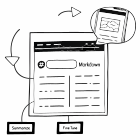
How to Convert a URL to Markdown
Getting the Markdown of a page is simple. Make sure the URL you give is not redirected, has an active status, and has content on it. Easily copy & train your AI model.
01 Enter the URL
Paste the webpage URL into the input field of the tool.
02 Click “URL to Markdown”
Hit the convert button and let the tool fetch the page for you.
03 Wait for the conversion
The tool processes the page content and turns it into clean Markdown.
04 View the Markdown output
Switch between the raw Markdown and a live preview of the converted page.
05 Copy or download
Copy the Markdown or download the result instantly to use it anywhere.
Frequently Asked Questions
No, you only need to give the URL. The tool automatically fetches the HTML, converts it into Markdown, and saves you time from using extra steps.
Yes, the tool preserves headings, paragraphs, bullet points, links, and tables in proper Markdown format.
Yes, once generated, you can copy, download, or share the Markdown directly.
Yes, the tool includes image links in the Markdown output so you can download or embed them separately.

Try Scrapingdog for Free!
Get 200 free credits to spin the API. No credit card required!