Managing product research and competitor tracking on Amazon just got a whole lot easier. With the new Amazon Search Scraper integration for Google Sheets, you can instantly pull Amazon search results straight into your spreadsheet. This no-code solution is designed for marketers, eCommerce sellers, and analysts who want quick access to product listings, prices, ratings, and competitor data without relying on complex tools or technical skills.
To use this add-on, you only need to install it in your Spreadsheet.

The link to add-on is — https://workspace.google.com/marketplace/app/scrapingdog_%E2%80%93_web_scraper_for_google_she/28788214325
Now that everything is in place, it’s time to pull product data directly from Amazon.
For this tutorial, we’ll be working with the Amazon Search Scraper.
Once you install the Add-on, look at the side panel and you will see the Scrapingdog’s logo. (see the image)
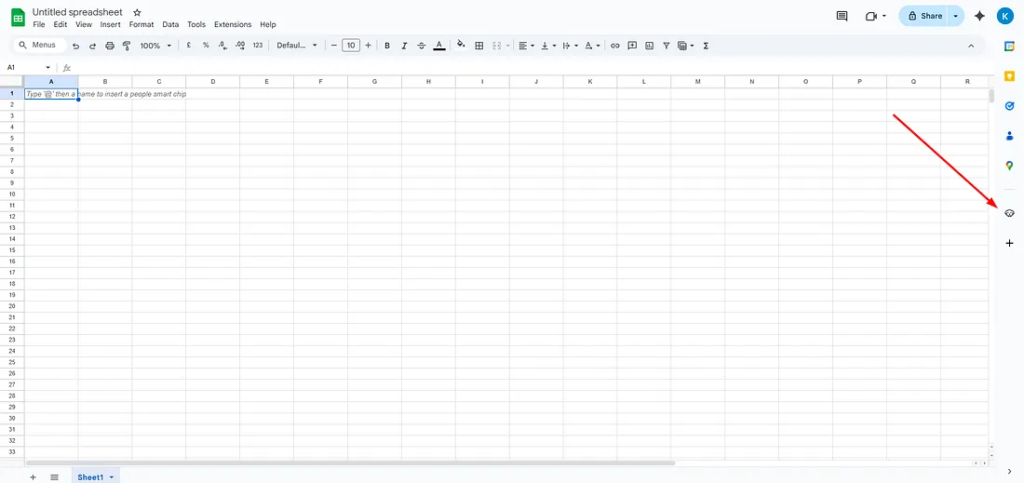
Once you click on the Scrapingdog logo (it may take a second to load), you’ll see all the dedicated scrapers available in the add-on.
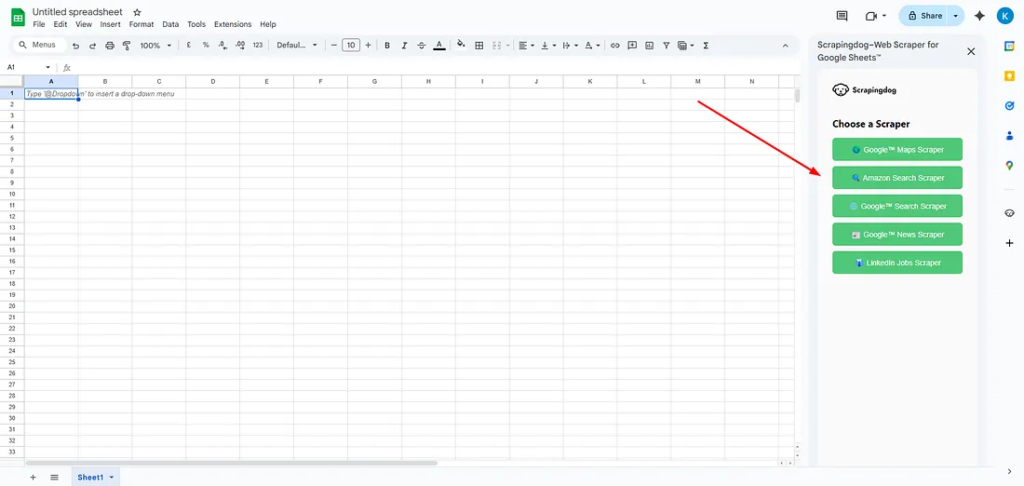
For this tutorial, we’ll be using the Amazon Search Scraper by Scrapingdog to extract product data.
The next step is very easy and simple. Just click on it, and you’ll see the fields that you need to fill out.
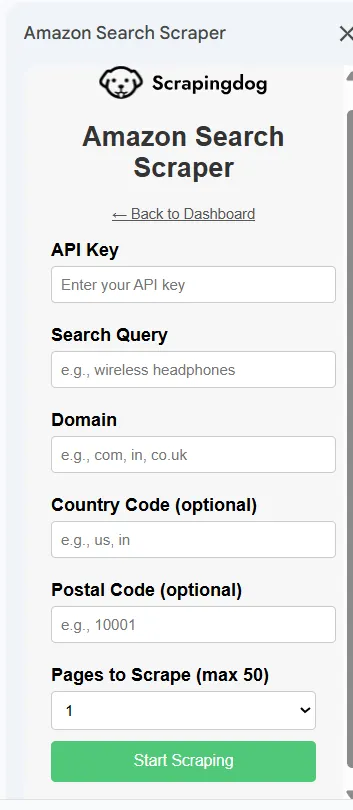
To use the Amazon Search Scraper, you need to have an API key. This API key is a unique code that you will get from Scrapingdog’s dashboard. If you already have it, just paste it; if you don’t, sign up at Scrapingdog and claim the 1,000 free credits.
Once you sign up on Scrapingdog, you will find your API key in your dashboard.
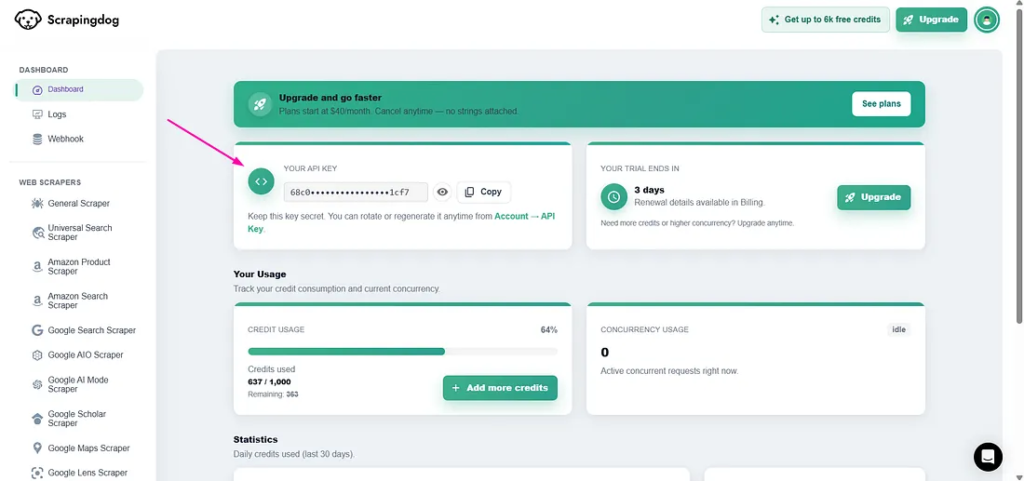
Now, copy the API key from here and paste it into the spreadsheet. Next, type in the query for the data you want to scrape, specify the domain, and select the number of pages to scrape using the dropdown menu.
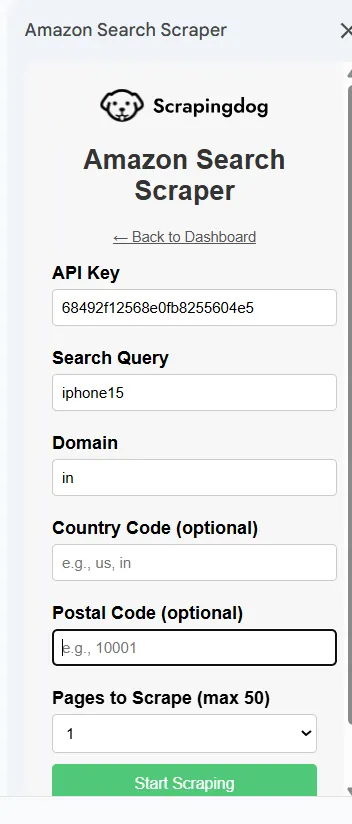
Let’s start scraping now!!
And here is a brief video walkthrough on how you can do it, follow along and you are good to go!
And just like that, you’ll have the data scraped from Amazon search results right in your spreadsheet! It will look like this.
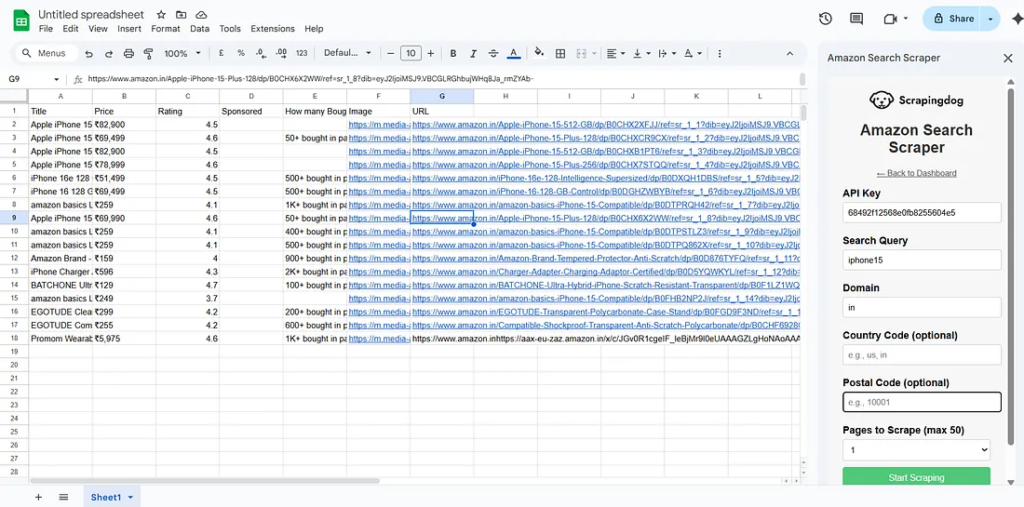
You can change parameters like country and Postel code to get more specific data.
In case you face any issue by using this add-on or any API, we are always available on chat!
Or you can email us at [email protected]
Additional Resources
Web Scraping with Scrapingdog
Scrape the web without the hassle of getting blocked Try for Free Contact sales
